Code Meets Canvas: Learning and Building with Creative Code Node
From generative design systems to slit-scan image processing, from interactive portfolios to live embeds—creative coding is here, now native to your workflow

There is a particular kind of friction that creative practitioners know well: the gap between the idea forming in your mind and the tools available to render it. For generative artists and creative coders, that friction has always been partly productive—a resistance that sharpens intention. But some of it has also been structural, an artifact of software ecosystems that were never designed with an intuitive creative workflow in mind.
We built Fuser with the intention of closing that gap. Last week, we took that intention a step further with the launch of the Creative Code Node: a full creative coding environment embedded directly in your canvas.
Good design has always taken context, time, and discernment—and it always will. But the Creative Code Node changes the access equation, putting the tools for inventive generative systems directly in the hands of independent practitioners and small studios, without changing what good design demands of its maker.

A New Instrument in the Canvas
The Creative Code Node supports Three.js, p5.js, and HTML5—frameworks through which a generation of artists, designers, and educators have learned to think visually through code, building everything from particle systems to generative typography to interactive installations that respond to sound, touch, and time.
Describe what you want to build in plain language and the node will generate a working sketch from that description. View the generated code and click the “?” next to any line to get a plain-language explanation of what it does. We wanted the Creative Code Node to be as much a learning environment as a production one.
For practitioners who write code fluently, this becomes a rapid prototyping layer—a structural scaffold on screen before the real work of fine-tuning begins.
For artists who are curious about creative coding but haven’t yet made the jump, it’s a genuine entry point. Inspect any generated sketch, ask for explanations directly inside the editor, and learn line by line at your own pace.
From Sketch to System
When your work is ready, you can capture a thumbnail, record a clip, or publish the sketch as an embeddable element—all from within your canvas. A generative animation built in the node becomes an asset inside a broader, shareable Fuser workflow, feeding directly into presentations, deliverables, social content, generative art series, or client work.
For studios and agencies, creative coding has moved from a specialty task with its own dedicated pipeline into something that lives inside the same canvas where all your design work is already happening.
See What You Can Build With It
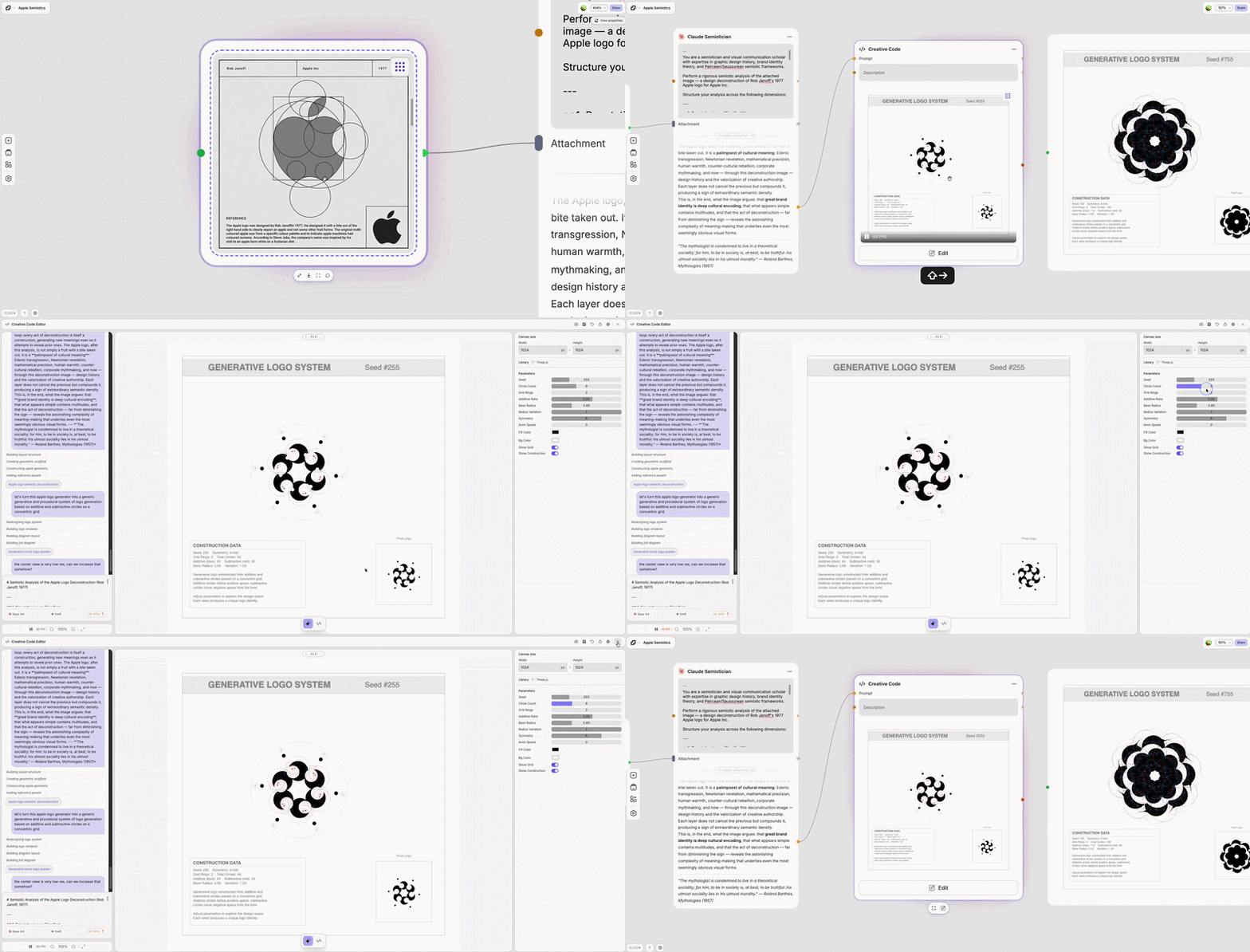
Generative Design Systems
Create rule-based identity systems where different interactions produce different kinds of logo permutations.
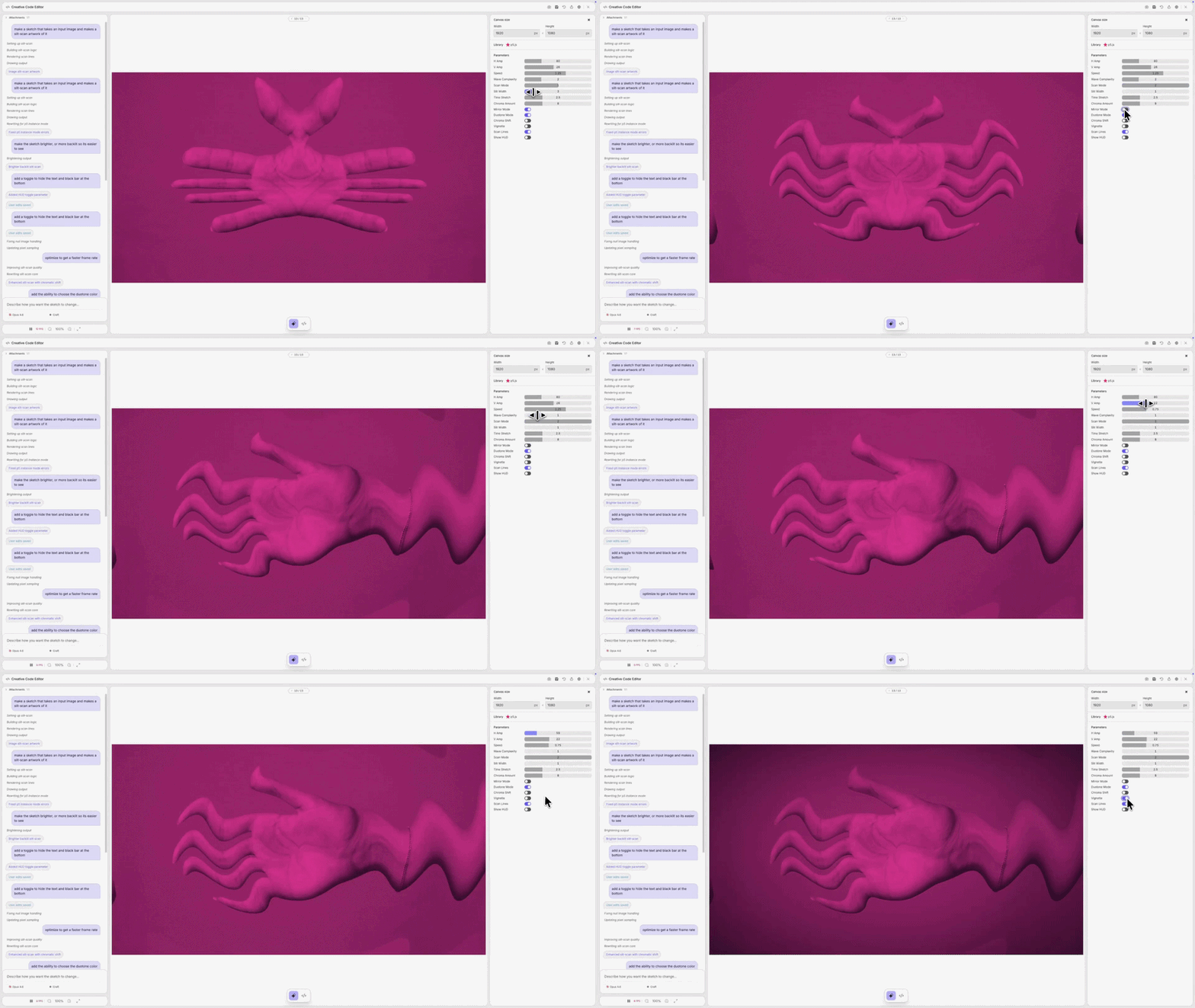
Slit-scan Image Processing
Generate slit-scan manipulation sketches with your own assets, then export the image frames or videos from the Creative Code node to use in the next step of your workflow.
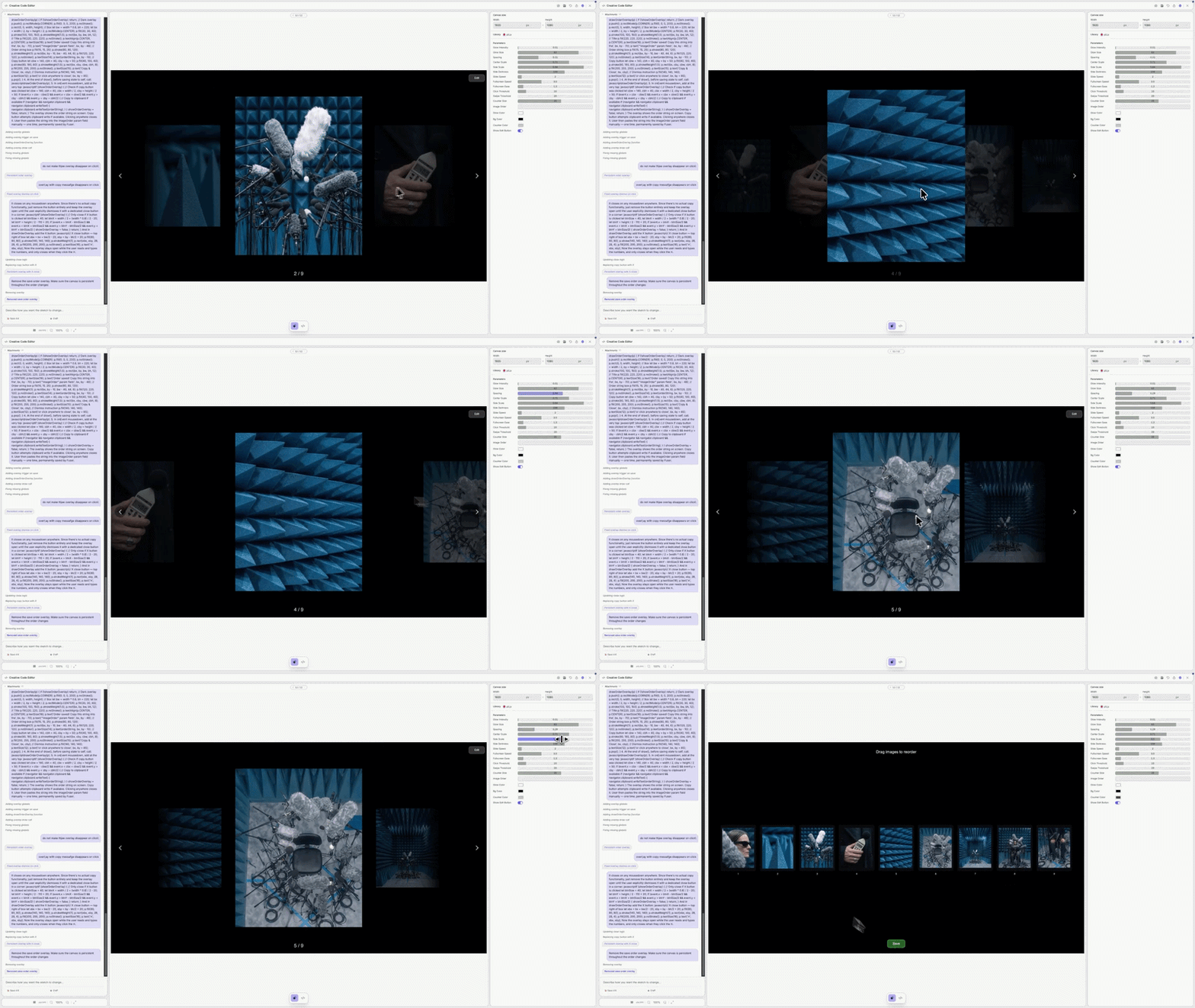
Embeddable Portfolio Animations
Build animated, interactive image carousels populated with your own work, with editable layout and ordering. Publish as an embed anywhere.
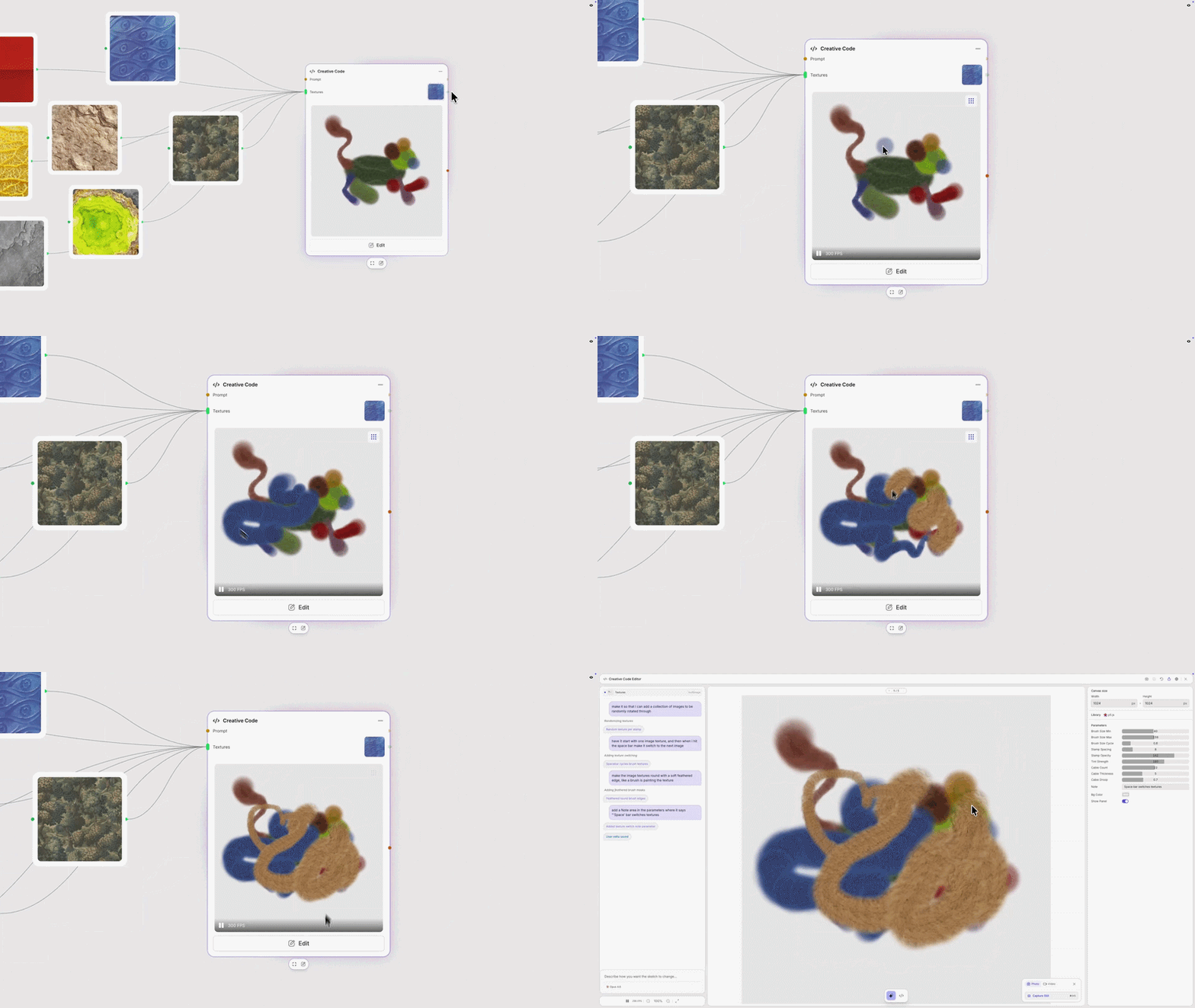
Texture-Driven Brushes
Connect image assets as texture inputs and build fully embeddable sketches from them — a direct line from source material to living, shareable work.
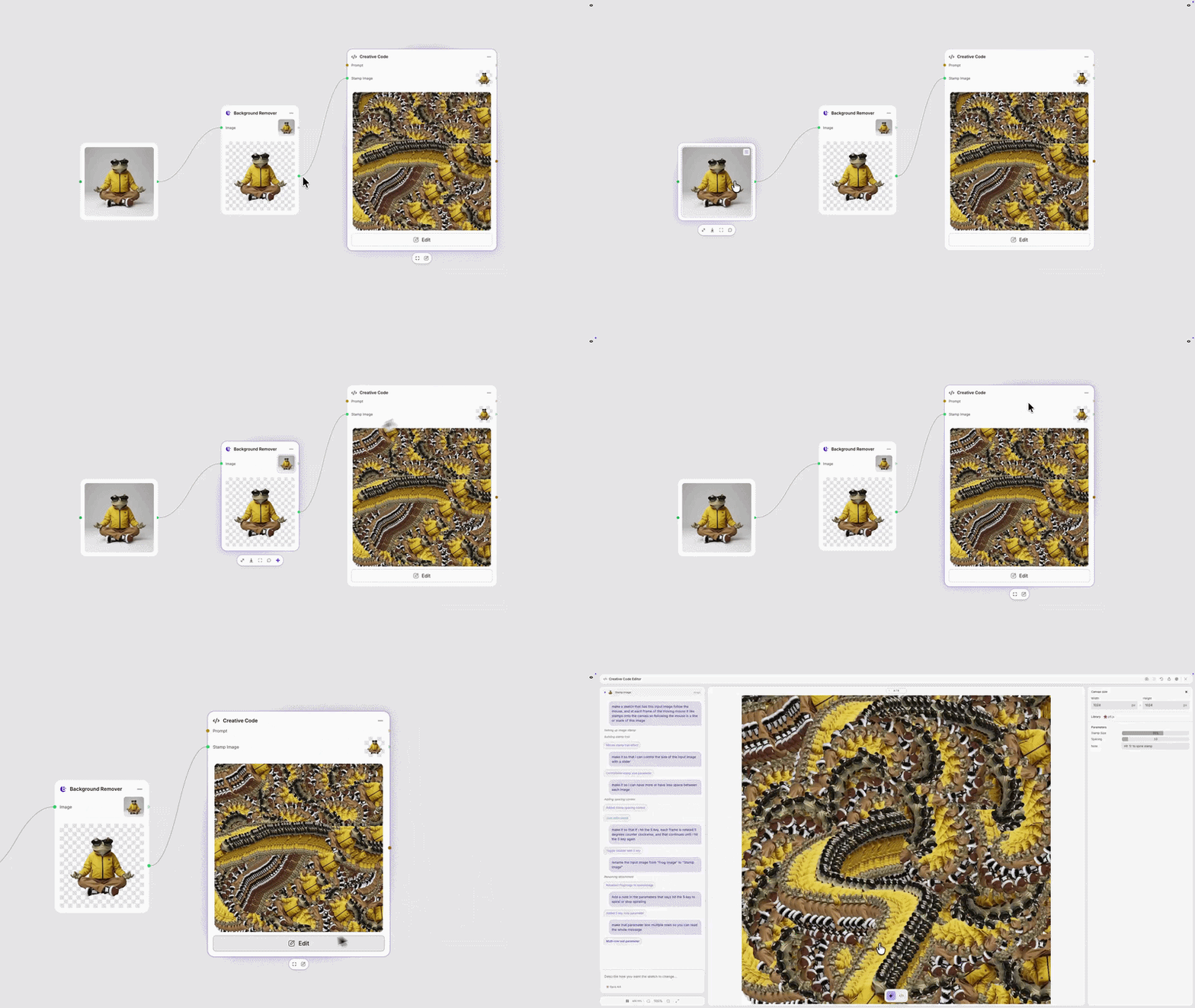
Exploratory Interactive Tools
Design cursor-driven stamp tools using your own branded assets—click, drag, and mark up your workspace with imagery that’s entirely yours.
The friction was never the code. It was the distance between the idea and the environment capable of holding it. With the Creative Code Node, that distance just got shorter. Try it today and share what you’ve made.
Here’s a quick tutorial: